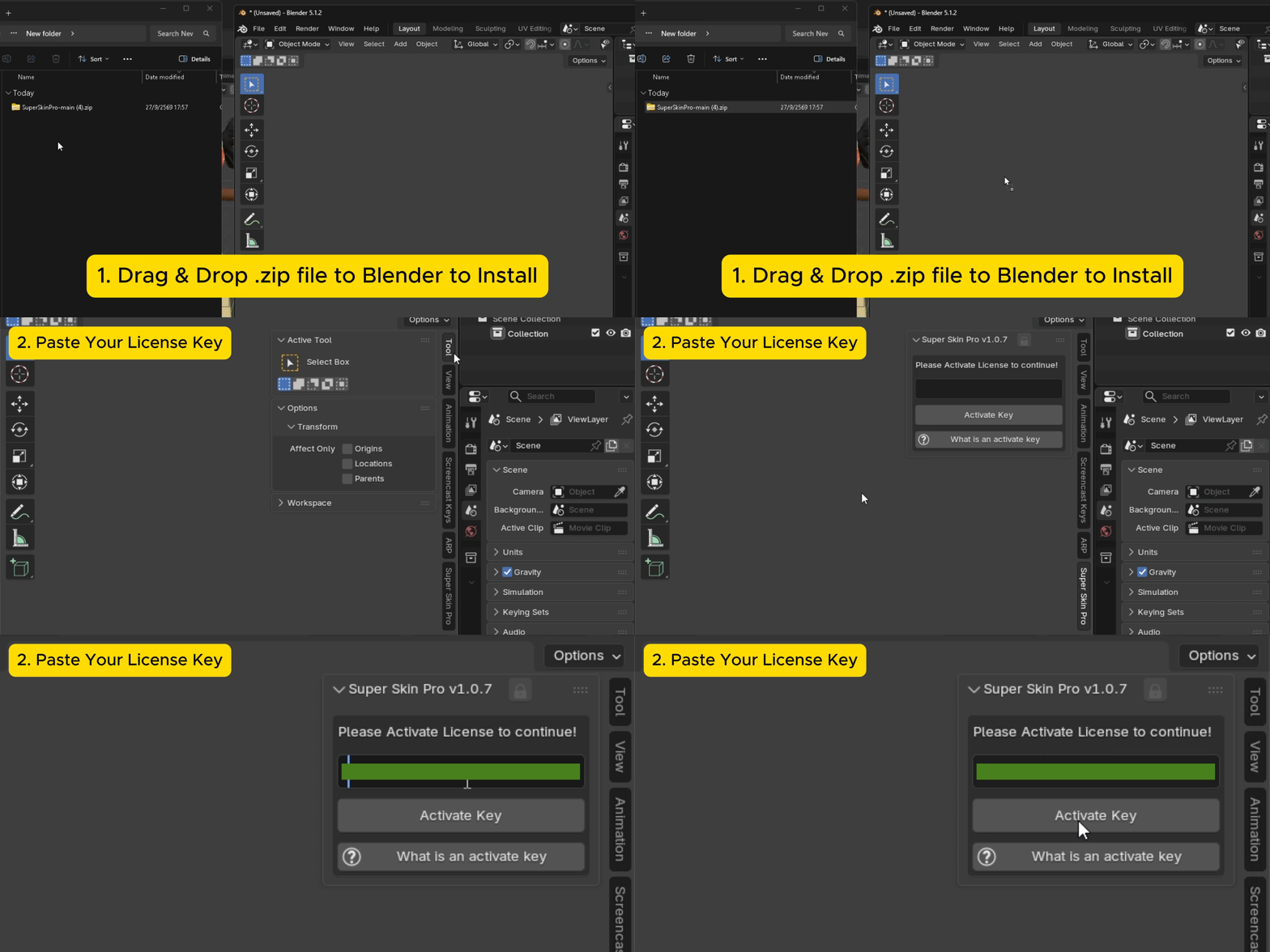
Drag and Drop Installation
- Download the Super Skin Pro
.zipfile from Gumroad - Open Blender, then drag and drop the
.zipfile onto the Blender window and confirm the install. - Once installed, SuperSkinPro will appear in the N-Panel sidebar. Enter your Activate Key from Gumroad and press Activate to finish.
Manual Installation
If drag-and-drop installation doesn't work, you can install manually instead.
- Download the Super Skin Pro
.zipfile from Gumroad - Go to
Edit > Preferences > Add-ons - Click
Install...(top-right corner) - Select the downloaded
.zipfile, then clickInstall Add-on - Once installed, SuperSkinPro will appear in the N-Panel sidebar. Enter your Activate Key from Gumroad and press Activate to finish.